
Welcome to the ultimate livestreaming experience
You’re now enjoying a whole new way to experience our concerts live from Jones Hall. This enhanced platform offers higher-quality audio and video, direct access to your digital program through InTune, and the same great features you love — including casting to another device or using picture-in-picture on mobile.
Below, you’ll find answers to the most frequently asked questions about this new interface, its controls, and more.
Do I need a username or password to access the livestream?
No. Our livestreams use a secure URL and don’t require extra login information. Please keep this link private and avoid sharing it with others.
How will I know if the concert has started?
When you first join, you’ll see the live feed from Jones Hall — this may include pre-concert slides, program notes, or introductions. The concert officially begins once you see and hear the musicians performing.
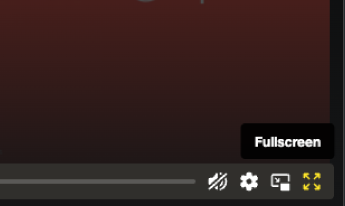
Can I make the player fullscreen?
Yes. Click the Fullscreen button located at the bottom-right corner of the control bar.
Can I cast the livestream to my smart TV, Apple TV, or another device?
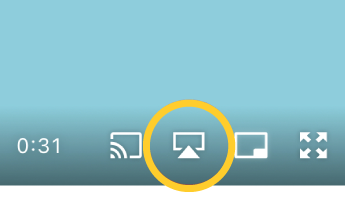
Yes! Once the stream begins, the cast icon will appear on the player controls — usually in the lower-right corner (see example below). Simply click the icon and select your preferred device. For more details, visit this Vimeo guide.
The video is playing but I can’t hear anything. What should I do?
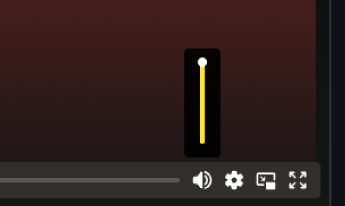
First, make sure your device volume is on and your speakers are connected. Then, toggle the speaker icon in the player and refresh the page if needed.
How can I chat with other patrons?
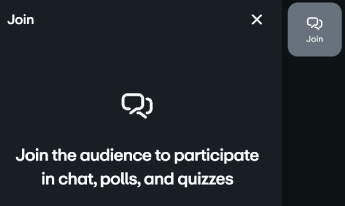
Open the chat window on the right side of the player. Enter your name (a Vimeo account is not required) and join the conversation.
The video/audio quality isn’t good. What can I do?
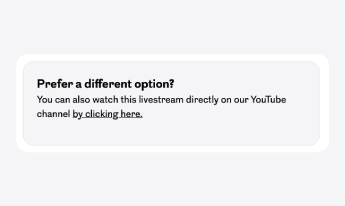
If the stream isn’t performing well on our player, click the View on YouTube link below the video. Please note: certain features, like live chat, may not be available on YouTube.
Can I watch the concert after the performance?
In most cases, streams are not available for replay. We encourage you to watch live!
I have questions about the music, instruments, or artists. Who do I contact?
Please email us at [email protected], and we’ll direct your question to the appropriate team.
Who do I contact for troubleshooting?
For technical issues, email [email protected].